

8 AI Budgeting Apps: The Future of Smart Money Management in the UK
[Update 3 February 2023] AI budgeting apps are the newest trend in personal financial management, and the UK is no exception. As people strive to make the most of their money, AI budgeting apps such as Plum and Chip are becoming very popular. They also offer more advanced features than Emma, HyperJar, Money Dashboard, Snoop, and Cleo although all are becoming increasingly popular.
The Cost of Living Keeps Going Up!
A recent study by the Office of National Statistics (30 January 2023) revealed the latest data and trends about the cost of living in the UK. It explores the changes in how much people are spending and what they are spending their money on. It’s harrowing reading…
- It reports that two-thirds (66%) of adults in Great Britain are spending less on non-essentials due to the rising cost of living.
- 46% of adults reported spending less on food and essentials, that’s up a full five percent from 41% in the previous survey period covering Christmas.
- 42% said they were having to spend more on food shopping.
- 59% said they were using less fuel, such as gas or electricity, due to the rising cost of living.
- A huge 92% reported their cost of living had risen compared to a year ago and 67% compared to a month ago. The most commonly mentioned reasons were increases in food shopping (94%), gas or electricity bills (74%), and fuel (41%).
- Retail sales volumes fell 1.0% in December 2022, reaching 1.7% below the pre-COVID-19 level of February 2020.
- Astonishingly, 15% of adults reported worrying about running out of food before they had the money to buy more. Meanwhile, 5% said their household ran out of food and could not afford more.
- Food stores saw a 0.3% decline in volume in December 2022, following a downward trend since summer 2021.
- Non-food stores experienced a 2.1% decline in volume. While other non-food stores saw a 6.2% fall in sales volumes.
- There was a 2% decrease in debit card spending in the week to 22nd January 2023, with the largest fall in “retail” spending at 8 percentage points.
| Spending Category | Percentage of Adults Affected |
|---|---|
| Less on non-essentials | 66% |
| Less on food and essentials | 46% |
| Spending more on food shopping | 42% |
| Using less fuel (e.g. gas or electricity) | 59% |
| Cost of living has risen (compared to a year ago) | 92% |
| Cost of living has risen (compared to a month ago) | 67% |
| Rises in food shopping | 94% |
| Rises in gas or electricity bills | 74% |
| Rises in fuel | 41% |
| Worried about running out of food | 15% |
| Household ran out of food | 5% |
| Decrease in debit card spending | 2% |
| Decrease in “retail” spending | 8% |
Budgeting for the Future
The statistics paint a clear and sobering picture of the direction the UK economy is heading in. Unfortunately, it’s likely to get worse before it gets better. If you are not budgeting your household finances already, now would be a wise time to start.
The benefits of using an AI budgeting app are numerous. For starters, they make it easier to track spending and save money by automatically categorising transactions and providing customised alerts when over-budgeting. Additionally, they can help users set goals, track investments, and receive bill payment reminders.
Some AI budgeting apps even offer credit monitoring services, blogs, and educational tools such as loan repayment calculators. Furthermore, many of them are free to use.
Let’s look at the features and benefits of the leading budgeting apps currently available in the UK.
EMMA
The Emma budgeting app is a financial super app that is designed to help users keep track, invest, send and save their money. Launched in 2018 by co-founders Edoardo Moreni and Antonio Marino, the app was initially developed while the two were studying at Manchester University. Following their studies, they moved to Berlin to start work on ‘Kiria’, a precursor to ‘Emma’. With the laws relaxing in England, the two ditched ‘Kiria’ and moved back to England to develop what we know now as Emma (the name is made up of the co-founders’ initials). On 11th June 2019, Emma became the first UK-based money management app to launch in the US and Canada.
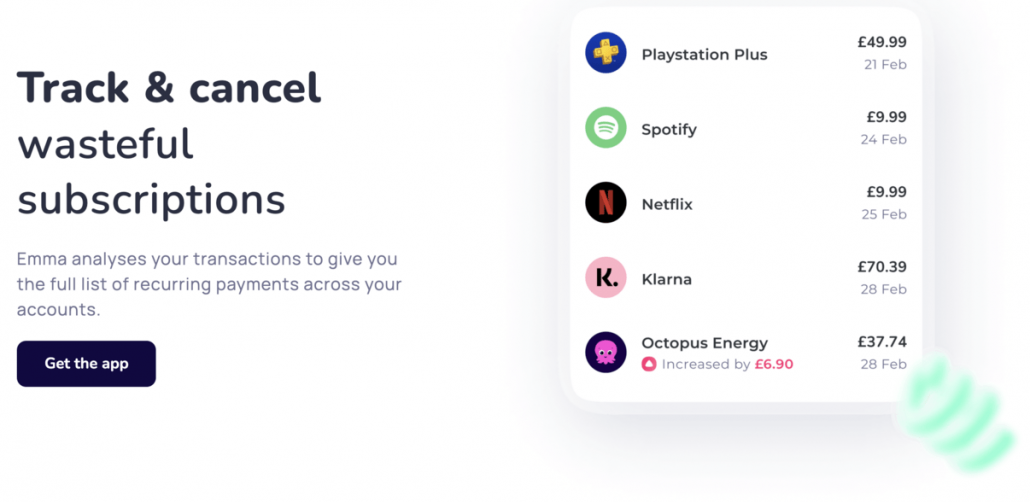
The app has an impressive set of features, such as connecting all accounts, setting up weekly and monthly pay checks, budgeting, tracking subscriptions, categorising transactions, spending analytics and more. It also has bank-grade encryption so you can be assured that your data is kept securely. Emma has a rating of 4.7 out of 5.0 stars on iTunes from over 10,000 reviews and a rating of 4.3 out of 5.0 stars on Google Play.
Emma is free to download and use but there are also two tiers of premium in-app upgrades called Emma Plus and Emma Pro. After a one-week free trial, Emma Plus costs $4.99 a month while Emma Pro games at a cost of $9.99 a month. The app is rated as ‘Great‘ on Trustpilot with a rating of 3.7 out of 5.0 stars from over 70 reviews, with 69% of customers rating it as ‘Excellent’.
Like-for-like alternatives to Emma include Mint.com, which is free, as well as Monarch, Bankin’, Truebill and Money Dashboard. Each of the alternatives offers different features, such as cashback, custom categories, split transactions and bill reminders.
Overall, Emma is a powerful tool that has helped many people understand their finances and make immediate savings. When considering if it’s worth it or not, it’s worth taking into account the pros and cons, as well as the various alternatives available.
HYPERJAR
HyperJar is a budgeting app designed to make it easier to plan, share and spend your money. Launched in 2021, it offers a range of tools to help users keep track of their everyday spending. It helps them save for a goal, and even share their funds with family and friends.
The app is free to try and comes with a prepaid Mastercard, plus the promise of a payment card for kids in the near future. HyperJar has been designed to make budgeting easier. It has features like Jars – virtual pots of money – that can be used to store funds and pay bills. Additionally, it includes Share Jars with family and friends.
The app also offers a “lock-in” feature where you can select retailers and lock in money to spend when you shop with them. You can also earn an Annual Growth Rate on the locked-in money.
In addition, HyperJar offers fee-free spending abroad with the accompanying Mastercard and provides a kids’ payment card.
The app is straightforward to navigate, but it might take a bit of time to get accustomed to navigating all the different Jars. This is to ensure you have enough to spend from whichever Jar you’re using.
Pros – There are plenty of advantages to using HyperJar. It’s free to download and use, with no monthly or annual fees. It offers a range of tools to help you keep track of your everyday spending and your savings. It also has the ability to lock in money to spend at certain retailers. There are also no charges for making purchases with your payment card overseas, and you’ll get the most competitive available Mastercard rate for currency conversion.
Cons – The only real downside to HyperJar is that you have to move money into your account in order to manage it from there. Furthermore, you have to select which Jar you’re paying from before using Mastercard. If you spend over that amount and have no other money in your main HyperJar account, your payment will be declined. Finally, it could get complicated managing all the various Jars.
Like-for-like alternatives
There are a few other budgeting apps out there that offer similar features to HyperJar.
- Money Dashboard is a free budgeting app that helps you track your spending and set up budgets for different categories.
- Yolt is another budgeting app that likewise enables you track your spending, but it includes a “Goals” feature where you can save for specific goals.
- Plum is another budgeting app that helps you save towards specific goals and even offers “round-ups” – where it puts your spare change into a savings pot.

MONEY DASHBOARD
Money Dashboard is a free budgeting app that has helped people manage their finances since 2010. Founded in Edinburgh, Scotland, the app now boasts over 600,000 registered users. It allows users to easily monitor and categorise their spending, and provides a clear overview of their finances with graphs and tables.
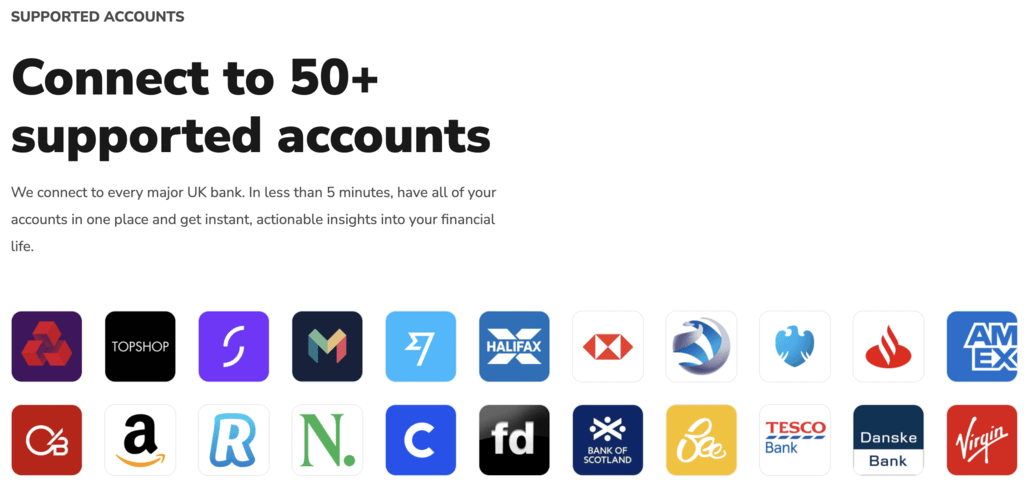
Money Dashboard can be used both on the desktop and through its app. Connecting bank accounts to the app takes a few seconds, and then users can start tracking their spending in real time. The app supports the vast majority of UK banks, so users don’t have to jump between various banking apps or websites. Money Dashboard also makes it easy to transfer money between accounts, and you can create custom categories for your spending.
The app is free and doesn’t charge for its advanced features. However, there can be a 4-5 day buffer between making a transaction and seeing it on Money Dashboard. Despite this, 45% of customers rate Money Dashboard as ‘Excellent’, citing the app as safe and easy to use as well as positive customer response.
It’s worth noting that Money Dashboard does have a few drawbacks. For example, the app requires manual manipulation to get the most out of it, particularly at the start. Additionally, users are unable to see actual pending transactions which some competitors provide.
If Money Dashboard doesn’t sound like the right app for you, there are plenty of alternatives. These include GnuCash, HomeBank, Money Manager Ex, Mint.com, You Need A Budget, PocketGuard, Personal Capital, and Honeydue. All of these budgeting apps provide excellent features and are worth checking out.
PLUM
Plum is an AI budgeting app that has been helping people save and invest their money since 2016
. Founded in London, the fintech firm has grown rapidly in the past few years and now boasts over 1.4 million customers across the UK and Europe. With its help, users have saved more than £1.4Bn.
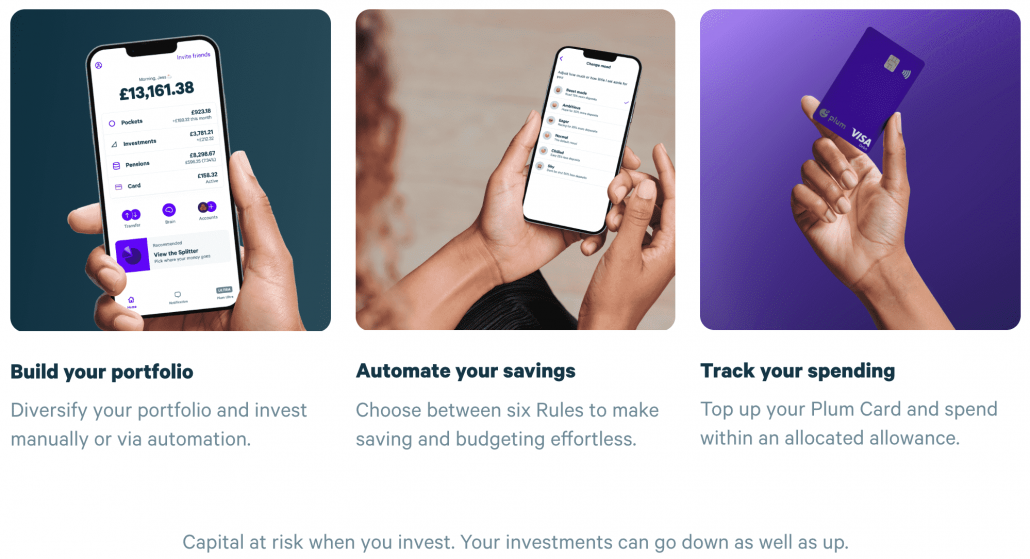
Pros of Plum – Plum is free to use for basic saving and budgeting, with no extra fees for withdrawing your money. It also offers a range of insights into your spending, categorising your transactions automatically and sending you periodic budget updates. Plus, if you want to try and earn a return on your money, then there is a fee of £2.99 per month for Plum Pro, their investment platform.
Cons of Plum – The main con of Plum is that it can take some time for money to transfer back into your account, as a few users have complained about in reviews. Additionally, it is not always clear which investments are right for you, so it’s advisable to seek out a financial adviser if you’re not sure.
Cost – The cost of Plum depends on the service you use. For the basic plan, it’s free to start setting aside money, with unlimited deposits and withdrawals. If you want to invest your money, then there is a (AUM) fee of 0.45% charged by Plum, as well as a 0.06–1.06% fund management fee, depending on the specific investment fund(s) you choose.
Plum has been in business since 2016. In the past four years, they have transformed from a chatbot to a comprehensive, smart money app. This app helps over 1.4 million people invest, save and manage their spending with automation. They have also achieved a number of milestones along the way, including introducing commission-free investing and a debit card, as well as expanding into European markets.
If you’ve decided you want to try an alternative to Plum, then there are other apps out there that will help with your saving, budgeting or investing goals. Chip, Moneybox, Squirrel, Digital banks such as Revolut, Starling and Monzo, Money Dashboard, Emma, and share dealing platforms are all suitable options.
SNOOP
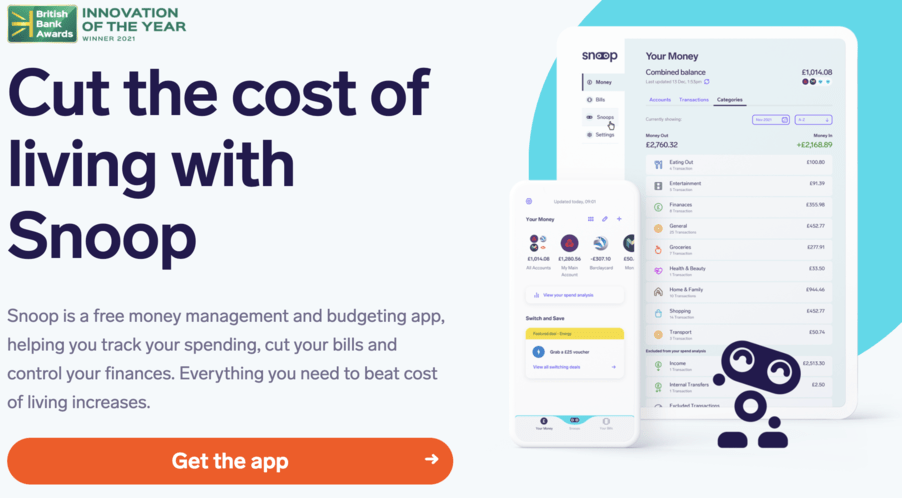
The Snoop budgeting app is a free money management and budgeting app that helps users track their spending, cut their bills, and control their finances. It was launched in 2019 by former Virgin CEO Jane-Anne Gadhia and ex-Managing Director John Natalizia. With its easy tips on how to save money, the app is great for people who love a bargain.
Snoop allows users to connect their bank accounts and credit cards to the app, and it automatically syncs all of their transactions. Users can then get a complete overview of all their spending, and receive personalised advice. Additionally, the app will check if users are paying too much for bills like energy, mobile, and car insurance, and suggest new cheaper providers.
The app is also rated highly, with an excellent rating of 4.4 out of 5 on Trustmark and 4.9 out of 5 on Smart Money People. This is because users are praising how much money they are saving and being able to find new deals for their household bills. Snoop is also authorised and regulated by the Financial Conduct Authority and registered with the Information Commissioner’s Office. It uses 256-bit encryption technology to keep customer data secure.
Another great feature of Snoop is that it’s completely free to use. There is a paid plan for more advanced features, but it is not necessary to run the app.
While Snoop is a very effective budgeting app, there are other competitor apps to consider. Some of the most popular budgeting apps include PocketGuard, Mint, and Chip. These apps offer users a range of budgeting tools and are particularly helpful for those looking to save and invest money. All three of these apps are free to try, but they also have paid plans with additional features.
In conclusion, Snoop is a highly recommended budgeting app for anyone looking to save money and manage their finances. However, it is wise to compare it to its competitors before deciding which one is right for you.
CLEO
The Cleo budgeting app is a financial assistant built to help users with their budgeting needs. Developed by Cleo AI Ltd, the app was founded in 2016 and has since been positively received by its users. It has a 4.6/5 rating on the Apple App Store out of over 70,000 ratings and has nearly 4 million users worldwide.
Cleo’s free service offers users a variety of features such as setting up a budget, autosaving, tracking money, and speedy support. Additionally, the app provides a cash advance of up to $100 for users who opt for the paid service. This paid service runs for a monthly membership fee of $14.99 or an annual subscription of $98.99 and comes with overdraft protection and spending rewards.
The app offers a simple way for users to track their spending and save money. However, it does come with its drawbacks. Firstly, Cleo can be quite expensive for those without access to a steady income stream. Furthermore, some users have reported issues withdrawing their money from the app.
If you’re looking for alternatives to Cleo, there are plenty of apps like Albert, Plum, and YNAB (You Need A Budget) that provide similar services. Albert’s goal is to help users achieve financial security while Plum and YNAB offer comprehensive budgeting tools and goal-setting tools respectively.
In conclusion, the Cleo Budgeting App is a helpful tool to help you manage your finances. While it may come with a cost, it is well worth it if you are looking for an easy way to stay on top of your budget.

CHIP
Chip is an automatic savings, investment and AI budgeting app that has been helping users build wealth since 2016. Founded by Nick Ustinov and Simon Rabin, it has since amassed over 500,000 registered users. It is available for free on the Apple and Google Play stores and offers features like daily interest, savings goals, and spending analysis.
The Chip app uses AI to calculate an affordable amount that can be saved automatically without affecting your usual day-to-day spending habits. There are four savings accounts to choose from, including a 90-day notice account, an easy access account, an instant access account, and a prize savings account. The app also allows users to invest via the app and has teamed up with investment platform BlackRock.
The basic plan of the app is free of charge and gives you access to all the features. However, if you want to use advanced features such as investing through the app, you will need to upgrade to the ChipX account which costs £5.99 per month. Additionally, Chip may charge occasional administrative fees.
One of the main advantages of using Chip is that it makes saving money easier and more efficient. The app analyses your spending habits and provides suggestions on how much you can save. It also helps you track your progress towards achieving your goals. Furthermore, customers can earn a 3.00% return on money held in a Chip Instant Access savings account
. Withdrawals typically take minutes but can take up to two hours maximum.
However, some customers have experienced technical problems when it comes to withdrawing their funds. 19% of customers rate the app as ‘bad’ due to these issues. Additionally, the app does come at a cost. Therefore, it is important to factor this into your budget when considering whether it is worth it to use the app or not.
Overall, Chip is a handy tool for managing your finances and saving money. If you want to explore other similar apps, there are various alternatives to Chip available on the market, such as Plum, Goin and Yolt. Each of these apps offers different features and prices, so it is important to compare and research them before making a decision.

REVOLUT
Revolut is a leading financial technology company that has revolutionised how consumers spend and exchange currency around the world. Founded in 2015 by Nikolay Storonsky and Vlad Yatsenko, Revolut has quickly become one of the most popular budgeting apps available, offering a wide range of features and services. As of December 2022, Revolut has over 25 million customers around the world and more than 150 million transactions a month.
The app offers financial services including GBP and EUR accounts, debit cards, fee-free currency exchange, cryptocurrency exchange and peer-to-peer payments. Revolut’s mobile app supports spending and ATM withdrawals in 120 currencies and transfers in 29 currencies directly from the app.
Revolut offers four plans – Standard, Plus, Premium and Metal. The Standard plan is free while the Plus plan is £2.99 per month. Premium plan costs £6.99 per month and Metal £12.99 per month. With the Premium plan customers get access to additional features such as exclusive customer service, no foreign exchange fees, up to 5% cashback rewards (T&Cs apply), buy and sell crypto, and access to exclusive lounges. Customers also get a 3 month Premium free trial when they sign up.
When it comes to the pros and cons of Revolut, there are a few to consider. On the plus side, the app offers free stock trading (though conditions apply) without inactivity fees. Account opening is seamless, fully digital, and really fast, thanks to machine learning. Furthermore, users can track their spending habits, set budgets and goals, and receive notifications if they exceed their budget. Transparent fees are visible in the Revolut app.
On the downside, Revolut’s automated suspension of accounts can be a bit of a pain. Additionally, customers have complained about lack of response from the support team and long wait times for account suspensions to be resolved. Metal cards are only available on the Metal plan. Lastly, since Revolut does not have UK bank status, it does not reimburse victims of authorised push payment fraud.
For those looking for an alternative to the Revolut budgeting app, there are several options available. Wise, Payoneer, Monese, N26, Neon, Chime, Skrill Money Transfer, and UK’s Best Online Banks, as well as other providers, all offer great budgeting solutions. Each of these alternatives offers features that may be more suitable for certain types of users than Revolut.
In conclusion, Revolut is a great AI budgeting app that offers a wide range of features and services. It is easy to use and provides users with a comprehensive view of their finances. However, it is important to be aware of its potential drawbacks before signing up, such as its automated suspension of accounts and lack of reimbursement for victims of push payment fraud. For those looking for an alternative to Revolut, there are many other budgeting apps available that may better suit their needs.

What are AI budgeting apps and how do they work?
AI budgeting apps are personal financial management tools that use artificial intelligence to help users track their spending, set financial goals, and make better financial decisions. They work by automatically categorising transactions and providing alerts when over-budgeting, as well as other features such as tracking investments, credit monitoring, and bill payment reminders.
What are some of the benefits of using an AI budgeting app?
Some benefits of using an AI budgeting app include:
-
- Easier tracking of spending and saving money
- Automatic categorisation of transactions and custom alerts
- Helping users set goals, track investments, and receive bill payment reminders
- Credit monitoring services, educational tools, and blogs
- Many of them are free to use (with additional paid options)
What are some of the leading AI budgeting apps available in the UK?
Some of the leading AI budgeting apps available in the UK include Plum, Chip and Revolut. Each app offers different features, so it’s important to research and compare the options before choosing the best one for you.
Are AI budgeting apps only for people with a lot of money?
No, AI budgeting apps are for anyone who wants to take control of their finances and make the most of their money. Whether you have a lot of money or just want to save more, these apps can help you budget more effectively and reach your financial goals.
Are AI budgeting apps safe to use?
Yes, AI budgeting apps are generally safe to use. They use bank-grade encryption to protect your data and many of them are also regulated by financial authorities such as the FCA. It’s also important to only use apps from reputable companies and to read reviews before downloading.
Which the Best AI Budgeting Apps?
By taking the time to research the most popular AI budgeting apps and understand their features, users can make the most of their money and enjoy all the benefits of AI-powered budgeting.
When selecting AI budgeting apps, it’s wise to keep in mind that each one has its own particular strengths and weaknesses. For instance, Emma is excellent for those who want to track their spending habits and set a budget. Meanwhile, Plum is suitable for those who prefer fuss-free saving and long-term goals.
Similarly, Money Dashboard is suitable for those who need to manage their finances quickly and easily, while Snoop is designed to help users find hidden savings. Finally, Cleo and Plum offer automated savings and investment services powered by AI.
In addition to researching the features of each app, it’s also critical to pay attention to their regulatory compliance. Regulatory frameworks vary from region to region, so it’s imperative to make sure your app is compliant in the country where it will operate. It’s also wise to consider the integrations required, such as bank accounts, third-party tools, and paid alternatives.
8 AI Budgeting Apps: The Future of Smart Money Management in the UK

Perry Stevens is the founder of BIGPriceDrops and a long-time digital marketer with a practical interest in helping UK shoppers find better value online. He focuses on clear, no-nonsense money-saving content, Amazon UK deal insights, and buyer guides that help readers spot genuine savings without falling for misleading discounts or impulse-buy traps.
When he is not working on BIGPriceDrops, Perry runs Blend Local Search Marketing and works on digital projects covering SEO, AI tools, and online business growth. His approach is simple: help people make smarter decisions before they spend their money.
Related posts:
 Unique Tips for Saving Money on Dining Out by a Frugal Foodie
 How Does a Slow Cooker Save Money?
 My Personal Savings Journey: Embracing Black Box Insurance for Lower Premiums
 In These Inflationary Times, Does a Thermostat Help Save Money?
 How to Save Money Parking at Luton Airport (IATA: LTN, ICAO: EGGW)


Leave a Reply
Want to join the discussion?Feel free to contribute!